Top 5 – Editing video files – with free software

Adapted on 2026-04-04 by Edwin van Eck

Can I edit the transferred film or video tapes myself afterwards?

Yes, you can further edit your film yourself. There are many software packages on the market to edit video files. Herewith my top5 selection of best free software to make easy edits of your movies. Generally, these packages can handle most of these functions such as cutting out pieces, adding title, etc. If you want advanced features, then it is often necessary to buy a paid version.

Welk programma moet ik kiezen?

  • Wilt u alleen stukjes weghalen zonder kwaliteitsverlies? Kies LosslessCut.

  • Want a simple montage with text and music on Windows? Use Clipchamp.

  • Want creative effects and modern convenience? Choose CapCut.

  • Want a completely free, Dutch package with no restrictions? Choose Shotcut.
#1 – LosslessCut (the fastest choice)

This is a very simple program and my personal favorite for digitized material. It only allows you to cut and paste pieces of video (for example, remove those black edges at the beginning or end).

  • The big advantage: The video is not recalculated (no re-encoding). As a result, 0% quality is lost and saving the movie is done within seconds.

  • Download: GitHub – LosslessCut

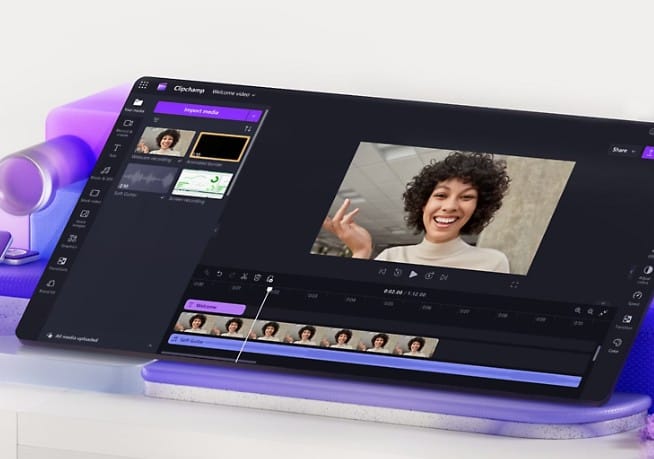
#2 – Clipchamp (Default in Windows)

Do you have Windows 10 or 11? Then this program is probably already on your computer. It is the modern successor to the well-known Windows Movie Maker.

  • Features: It is very user-friendly and works through a simple drag-and-drop method. You can easily add text, create transitions and put music underneath. Ideal for the average user who wants to make a nice movie without any hassle.

  • How to find: In your Windows start menu, search for “Clipchamp.”

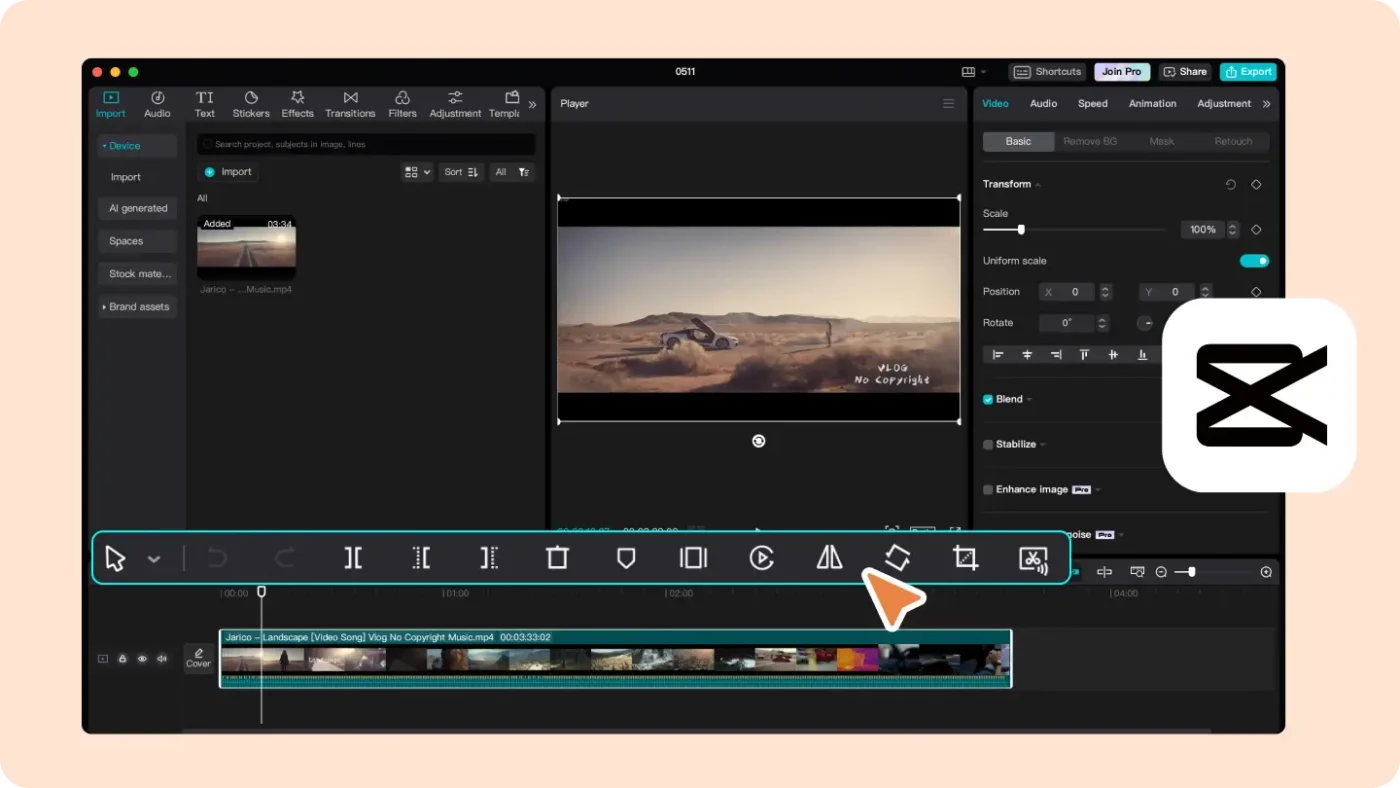
#3 – CapCut (Desktop Version)

CapCut is currently one of the most popular video editors worldwide. It is free to download for both Windows and Mac.

  • Features: The program is incredibly intuitive. It includes many smart features, such as automatically enhancing image quality or adding filters that add just a little more color to your old images. It is more powerful than Clipchamp, but remains very uncluttered.

  • Download: Capcut.com

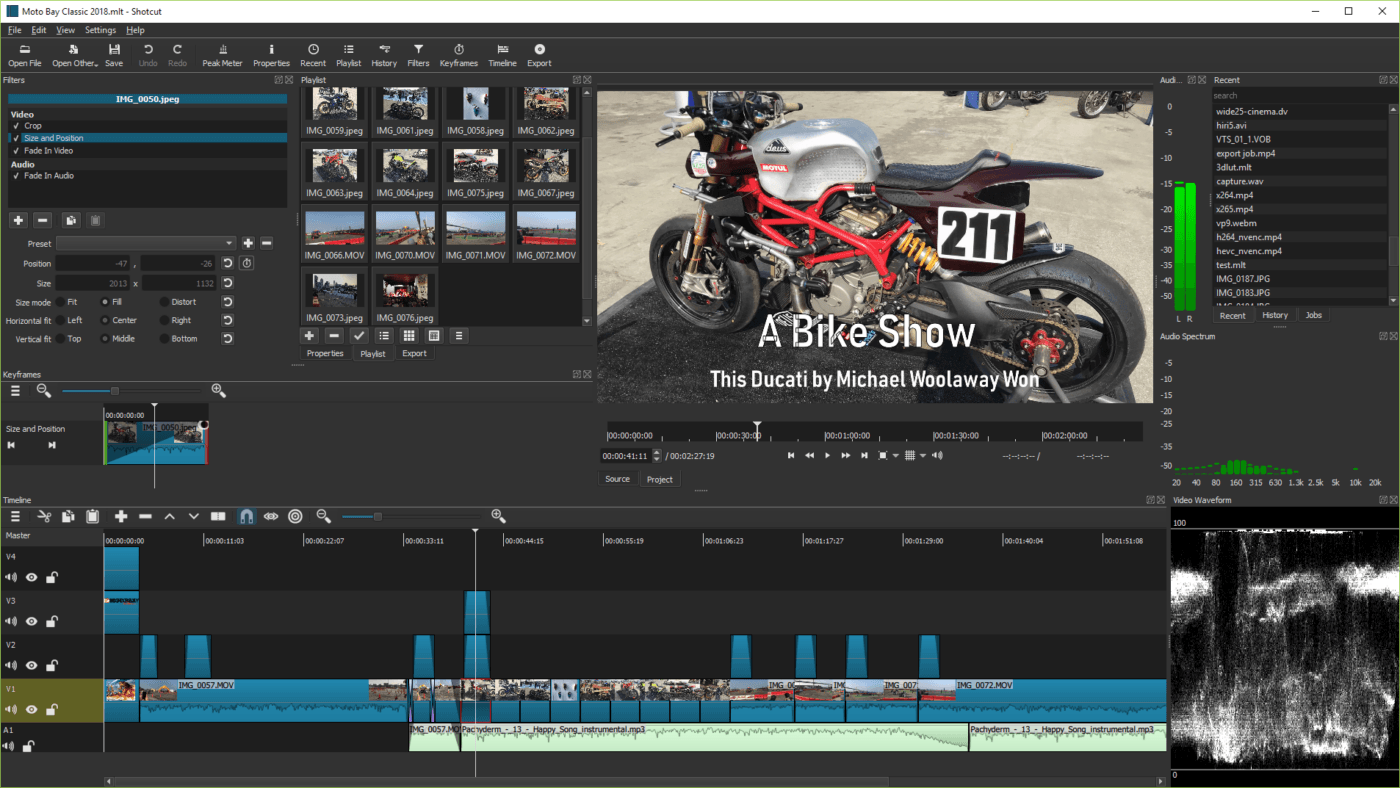
#4 – Shotcut (The Open-Source Powerhouse)

Shotcut is a technical marvel and completely open-source (no ads or paid extras).

  • Features: It works with virtually all video and audio formats thanks to its built-in FFmpeg support. It is one of the few comprehensive editing programs that is fully configurable . It can also handle 4K video effortlessly.

  • Download: Shotcut.org

#5 – DaVinci Resolve (For the Professional)

Do you want real depth? DaVinci Resolve is a professional package used even in Hollywood for color correction.

  • Note: I recommend this program only if you have a very powerful computer and are willing to invest time to learn the program. For simple cut and paste, this package is often too complicated. In addition, it sometimes struggles to work with older AVI files, which must be converted first.

  • Download: Blackmagic Design – DaVinci Resolve

plantje

Questions?

Let us know via the contact form